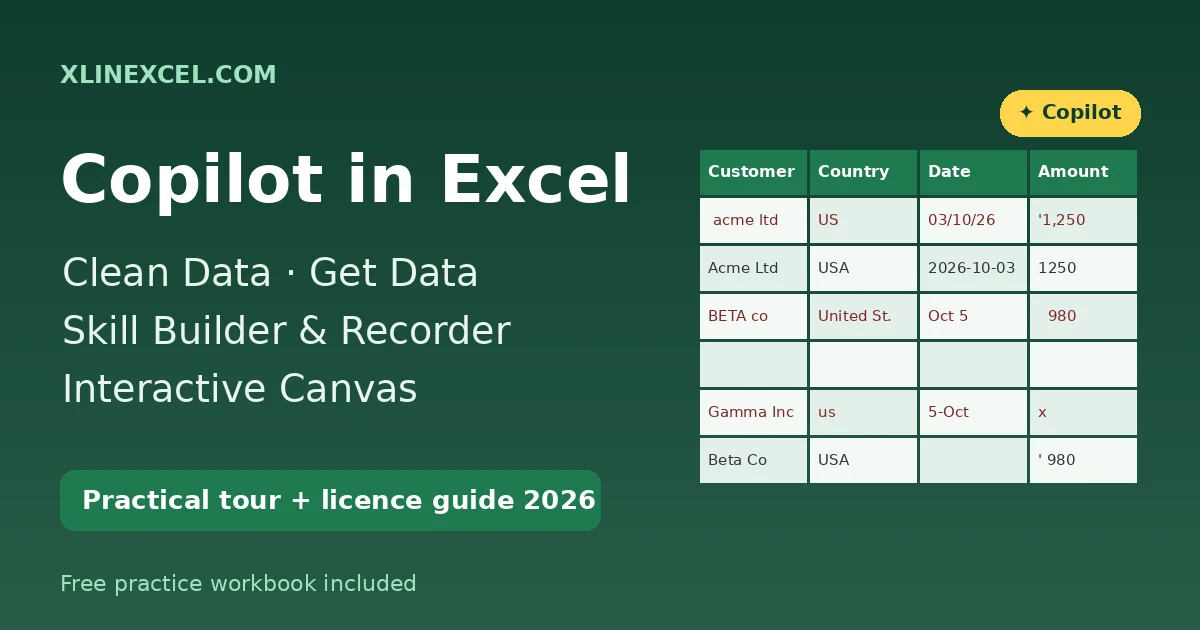
Copilot in Excel is no longer just a chat box that explains your numbers. In October 2026 Microsoft added five capabilities that do the groundwork: clean data, get data, skill builder, skill recorder and interactive canvas. This practical tour shows what each one does, prompts you can try today, and an honest look at who actually gets them.
Everything below is checked against Microsoft’s own announcement, Beyond Analysis: Copilot Gets to Work in Excel, the “What’s New in Excel (October 2026)” post on the Excel blog, and the Microsoft Support pages for Copilot skills. Rollouts are gradual, so your account may not show every feature yet.
What changed in Copilot in Excel (October 2026)
Microsoft groups the new features around one idea: bring data in, prepare it, teach Copilot your repeatable process, and share the result. Here is where each feature stood at the time of writing.
| Feature | What it does | Platforms | Status (Nov 2026) |
|---|---|---|---|
| Clean data (@clean-data) | Finds extra spaces, inconsistent text/number formats, mixed dates, duplicates and wrong data types; proposes fixes you approve | Windows, Mac, web | Rolling out to general availability |
| Get data | Describe the data you need; Copilot builds and loads a Power Query query | Excel for the web | Rolling out on web (some users still waiting) |
| Skill builder (@skill-builder) | Turns your instructions, past prompts or finished examples into a reusable custom skill | Windows, Mac, web | Rolling out to general availability |
| Skill recorder | Watches you do a task once and saves the steps as a skill | Windows and Mac (Insiders); web | Insiders on desktop; listed as generally available on web |
| Interactive canvas | Turns workbook data into a polished, interactive report that stays connected to the data | Excel for Windows | Insiders only; “coming soon” to web |
Clean data: fix messy tables before you analyse
Clean data targets the problems that silently break formulas, lookups and PivotTables. Microsoft’s classic example is a Country column containing “USA”, “US” and “United States” — a PivotTable counts those as three countries.
The skill inspects your data, explains what it found and why it matters, then proposes corrections in the workbook. You choose which fixes to apply, so nothing changes without your approval. Start it by typing @clean-data in the Copilot pane or by picking it from the Skills menu.
Example prompts for clean data
@clean-data Check the Orders table for extra spaces, duplicate rows,
mixed date formats and numbers stored as text. Explain each issue.

@clean-data Standardise the Country column so USA, US and
United States all become "United States".

@clean-data Convert the Amount column to real numbers and list
any rows where Amount is blank.
Tip: format the range as a table first (Home > Format as Table) and run the skill on a copy of the sheet. Afterwards, double-check the fixes with formulas — our companion workbook shows the manual TRIM, PROPER, VALUE and COUNTIFS approach, and the TRIMRANGE function guide helps when blank rows trail your data.
Get data: Power Query by conversation
Get data removes the hardest part of Power Query — building the query. You describe the data you need, where it lives and how it should be shaped; Copilot connects, transforms and loads the result into your workbook using Power Query. Because it is a real query, you can inspect it, edit it and refresh it later.
Right now it is an Excel for the web feature, and some sources need you to sign in. Expect it to be rolling out: one commenter on Microsoft’s blog noted in mid-November that it had not reached their account yet.
Example prompts for get data
Get the sales table from the "Q3 Sales" workbook in my OneDrive,
keep only Region, Product and Revenue, and load it to a new sheet.

Import the CSV I just uploaded, remove empty rows, set the Date
column to a date type and load it as a table.
Skill builder and skill recorder: teach Copilot your process
A skill is a saved set of instructions Copilot can reuse for a repeatable task, such as reconciling accounts or formatting a monthly report. Custom skills are stored in a folder in your OneDrive, and each one is a folder containing a SKILL.md file.
Skill builder: tell Copilot
Type @skill-builder and describe your workflow, or share previous prompts and examples of finished work. Copilot drafts the skill, lets you preview and refine it, then saves it to OneDrive.
@skill-builder Create a skill called "monthly-sales-tidy": trim all
text columns, standardise country names, remove exact duplicate rows,
convert Amount to numbers and add a total row. Use it whenever
I ask to tidy the monthly sales export.
Skill recorder: show Copilot
Sometimes demonstrating is easier than explaining. With skill recorder you perform the task once in your workbook; Copilot observes the steps and turns them into a reusable skill. It is in Insiders for Excel on Windows and Mac and, according to the October update, generally available on the web.
Interactive canvas: from data to a shareable report
Ask Copilot to turn workbook data into a polished, interactive canvas — an executive review, project update or status report. The canvas stays connected to the workbook, so it updates when the data changes, and you can refine the layout or story by chatting with Copilot.
Create an interactive canvas from the Orders table: total sales by
country, a monthly trend, and the top 5 customers, written for a
regional sales manager.
This is the most limited feature today: Insiders builds of Excel for Windows only, with web support described as “coming soon”.
The licence caveat: who can use Copilot in Excel?
None of these features work without Copilot in Excel itself. According to Microsoft Support, you need one of the following:
- Microsoft 365 Personal or Family with an AI credits plan (on Family, Copilot is for the subscription owner only)
- Microsoft 365 Premium
- A commercial Microsoft Copilot subscription
- A Copilot Chat-eligible Microsoft 365 or Office 365 business or enterprise subscription
Other things to keep in mind:
- Rollouts are staged. Clean data and skill builder are “rolling out” and may not appear for every eligible account yet.
- Insiders means preview. Interactive canvas (Windows) and skill recorder (desktop) need the Microsoft 365 Insider programme.
- Usage limits apply. Microsoft says these features are subject to service capacity and usage limits that may vary over time.
- Business tenants may see different availability depending on admin configuration.
Learn more about skills on Microsoft’s Use skills with Copilot in Excel support page.
Practise with the companion workbook
Download the practice workbook below. It contains a deliberately messy Orders table (odd casing, extra spaces, duplicates, mixed dates, numbers stored as text, blanks) to run @clean-data on, plus a Solutions sheet that performs the same cleanup with formulas so you can verify Copilot’s fixes. If your data packs several values into one cell, see our guide to multi-value cells in Excel.
FAQ
Is clean data available on Excel for Mac?
Microsoft’s October 2026 update lists the clean data skill for Windows, Mac and web, rolling out to general availability.
Can I use get data in desktop Excel?
Not yet. Microsoft currently lists get data as an Excel for the web feature.
Where are custom skills saved?
In a dedicated skills folder in your OneDrive. Each skill is a folder with a SKILL.md file.
Does Copilot change my data automatically?
Clean data proposes fixes and you choose which to apply. Still, work on a copy and verify the results.
Download the practice workbook
The same data as this tutorial, with empty answer cells and a Solutions sheet.
